
Meta Box vs. JetEngine
What are the differences and how to choose the best WordPress dynamic content plugin
Meta Box and JetEngine are two of the most complete toolkits for building dynamic WordPress websites: custom post types, custom fields, relationships, and ways to show that data on the front end. They solve the same problem with very different approaches, so choosing the wrong one can cost you a lot of rework later.
For a fair comparison, we use the full packages of both: Meta Box AIO (included in the Ultimate and Lifetime bundles) and JetEngine, the dynamic content plugin from Crocoblock.
Intro
Meta Box is a freemium WordPress framework for dynamic websites, with 500,000+ active installs on wordpress.org. It has been developed since 2010. It gives developers a full toolkit to deal with data in WordPress: custom post types, custom fields, custom tables, relationships, settings pages, front-end forms, and views. Everything can be done with a UI or with code.
JetEngine is a premium plugin from Crocoblock, part of its JetPlugins family. It has no free version on wordpress.org. JetEngine focuses on visual building: you create post types, fields, queries, and listing templates in the admin, then display them with Elementor, Gutenberg, Bricks, or Divi.
In short: Meta Box is a data framework that works with any builder or with code. JetEngine is a visual dynamic content builder that works best inside the Crocoblock ecosystem.
Getting Started
1. Install the free Meta Box plugin from wordpress.org to register everything with code. For the full feature set, install Meta Box AIO, which includes the Meta Box plugin and all premium extensions in one plugin. You can turn on only the extensions you need.
1. JetEngine is a single premium plugin. After installing, you enable the modules you need (Custom Content Types, Profile Builder, Maps, Data Stores, …) on the JetEngine dashboard.
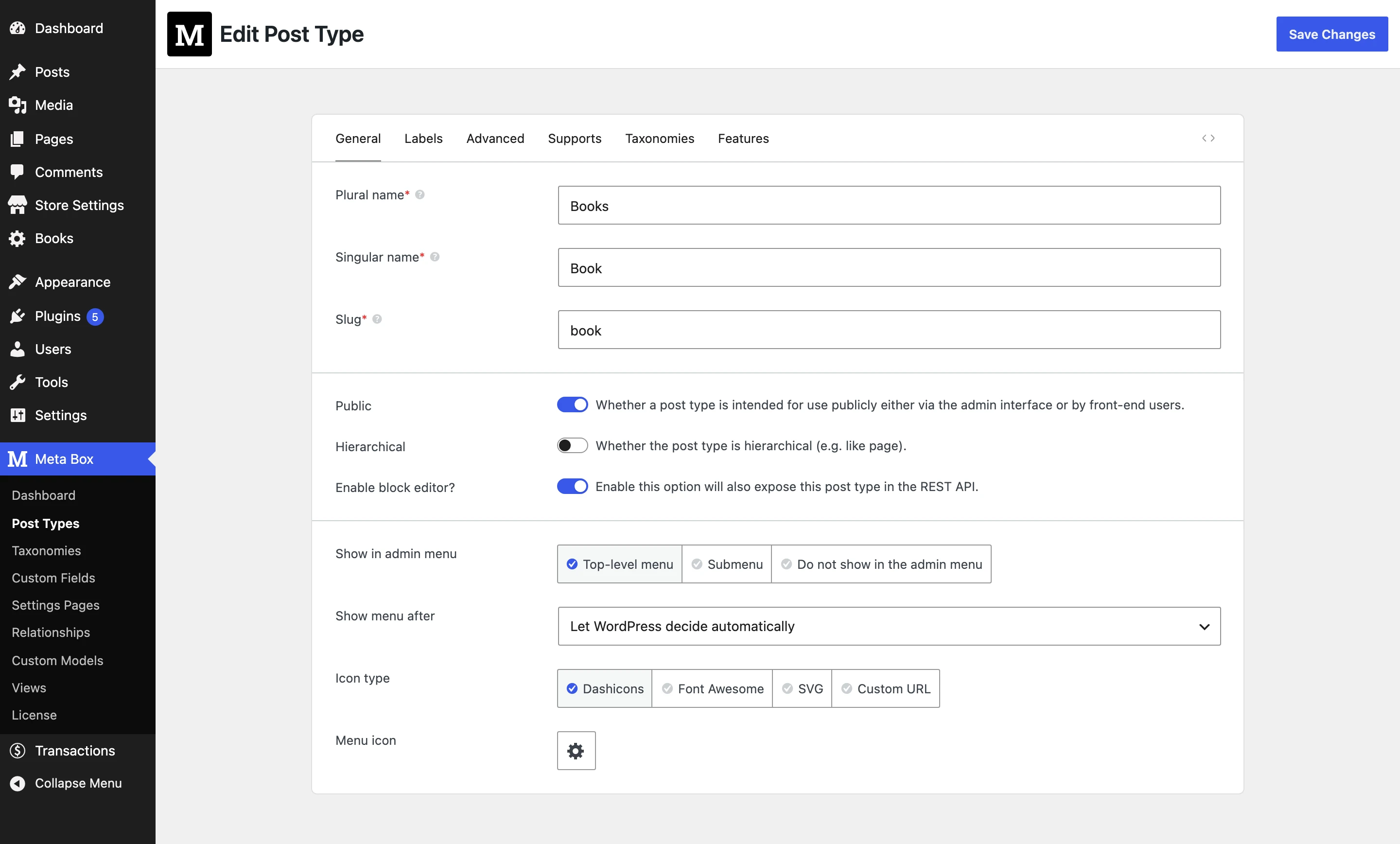
2. The free version works as a library: you register post types and fields with code (PHP or JSON), with no admin UI. This keeps sites fast and makes Meta Box easy to bundle in themes and plugins. With Meta Box AIO, you get a full UI for post types, taxonomies, fields, settings pages, relationships, and views.
2. JetEngine is UI-first. All post types, meta boxes, queries, and listings are created in its admin screens. You can try it only after buying, because there is no free version (Crocoblock gives a 30-day money-back guarantee).
User Interface
Both plugins have a complete UI for creating content types and fields. The main difference is where the front-end part lives.
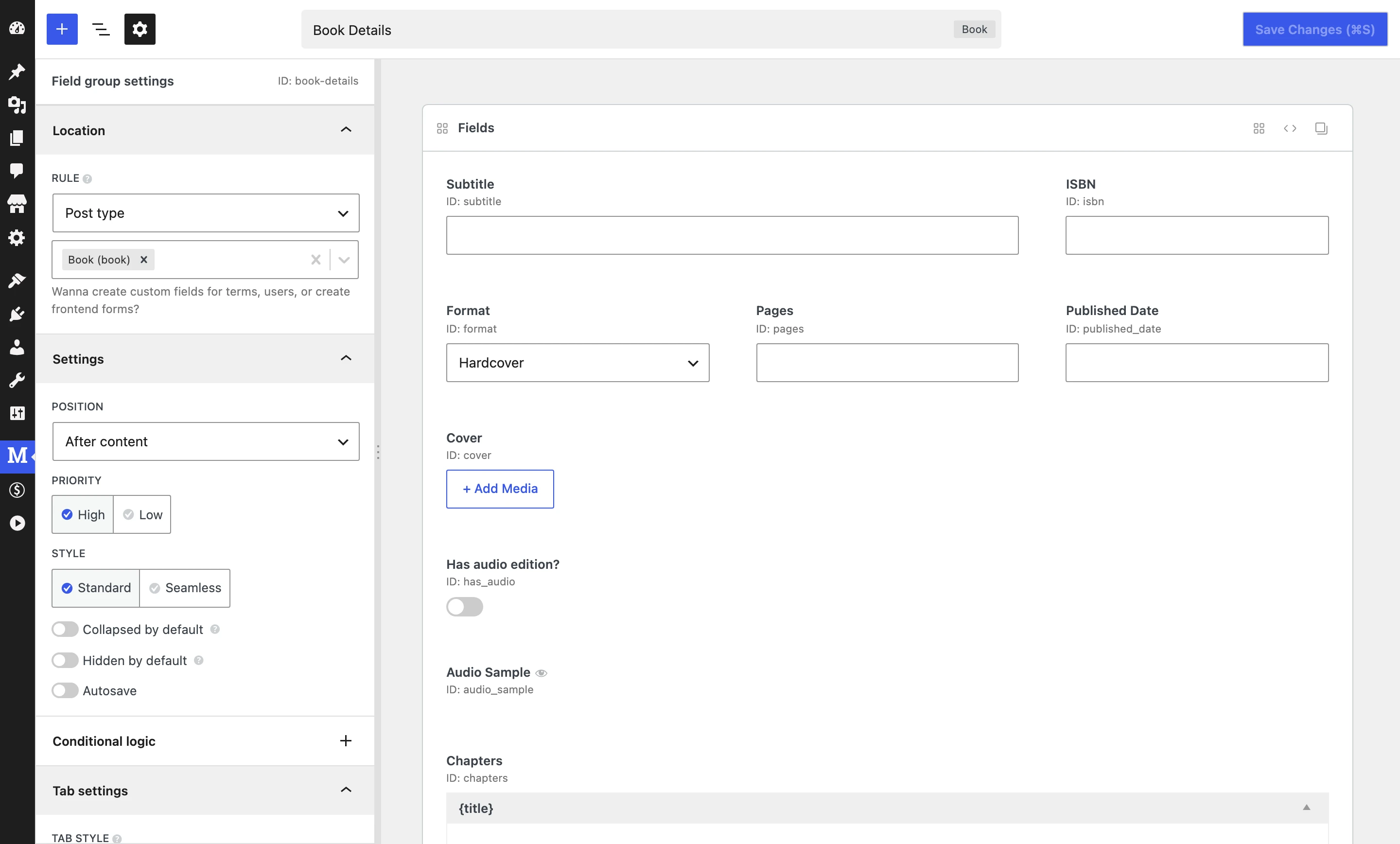
1. Meta Box has UI for custom post types, taxonomies, field groups, settings pages, relationships, custom models, and views (MB Builder and MB Views). The UI is native and looks like WordPress.
1. JetEngine has UI for post types, Custom Content Types, taxonomies, meta boxes, options pages, relations, queries, listing items, and glossaries, all under one JetEngine menu.
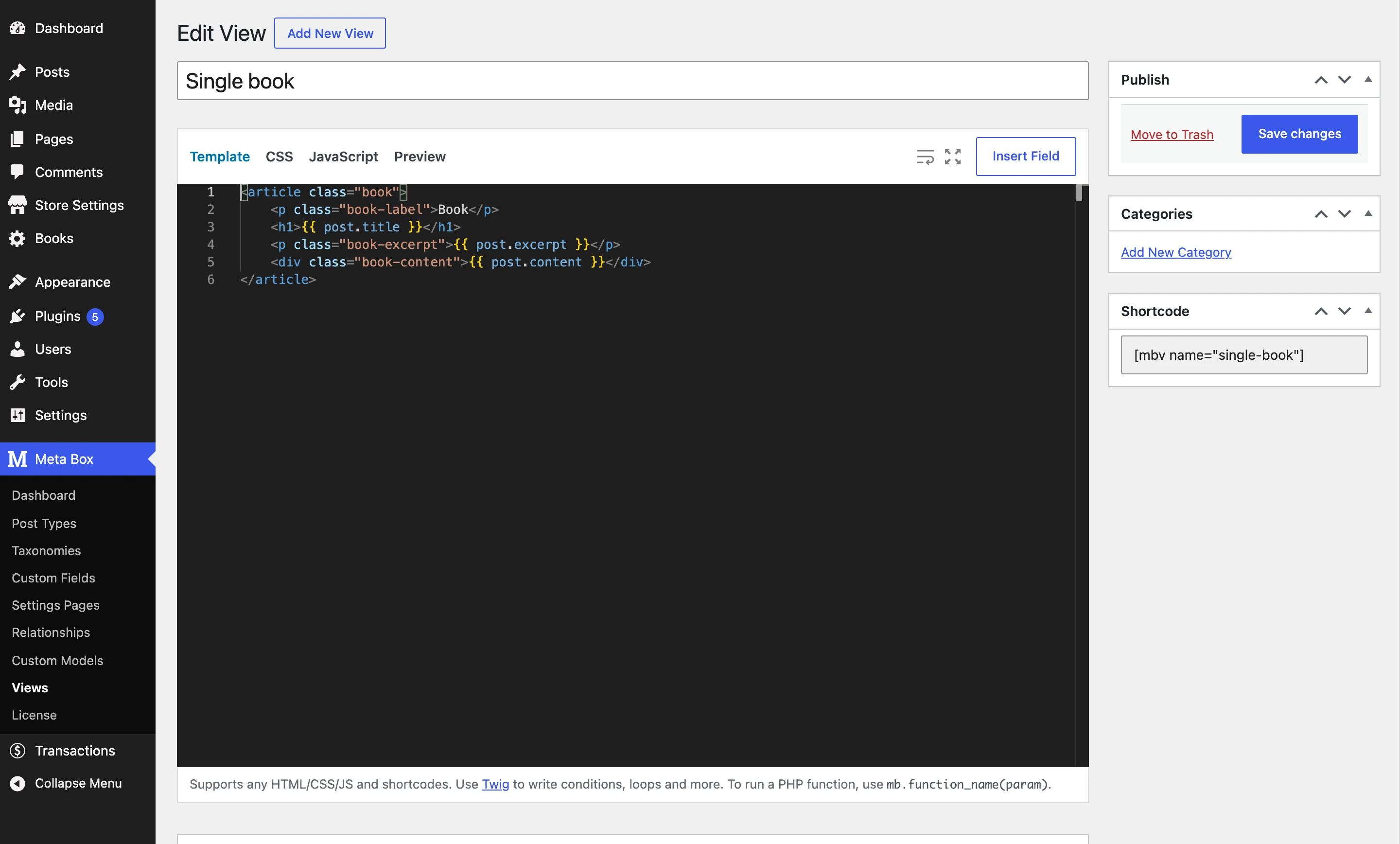
2. To display data, you can use any builder you already use (Bricks, Elementor, Oxygen, Breakdance, Beaver Builder, Divi, Gutenberg), MB Views (Twig templates), or PHP helper functions.
2. To display data, you build Listing Items with a page builder, then show them with the Listing Grid. The listing workflow is the center of JetEngine.
Features
JetEngine and Meta Box both cover most needs of a dynamic website, but they solve them in different ways. We split the features into smaller sections so you can compare each part.
Creating Post Types & Taxonomies
Both plugins let you create custom post types and taxonomies with a UI. Both also let you create content that is stored in its own database table instead of as WordPress posts, for data that doesn't need the full post features (orders, bookings, logs, …).
Meta Box has custom models (in MB Custom Table). Each model has its own table, an admin list with custom columns and bulk actions, and add / edit screens with any Meta Box fields. You can create models with a UI in MB Builder or with code.
JetEngine has Custom Content Types (CCT). Each CCT has its own table and an admin list. CCT items can be shown in listings, exposed via REST API endpoints, and linked to a post type when they need single pages.
Supported Objects
Both Meta Box and JetEngine support custom fields for posts (all post types), taxonomy terms, users, and settings / options pages.
Meta Box also supports fields for custom models (content in custom tables), comments, Gutenberg blocks (MB Blocks), and front-end forms.
JetEngine also supports fields for Custom Content Types and relations (relation meta). Front-end forms are in a separate plugin, JetFormBuilder.
Field Types
Both plugins have the field types you use every day, like text, number, date, media, select, and repeater.
1. Meta Box supports 50+ field types, including group, Open Street Maps, Google Maps, background, key value, sidebar, video, file upload with drag and drop, and custom HTML.
1. JetEngine has 20 field types: text, textarea, WYSIWYG, number, media, gallery, date, time, datetime, advanced date, switcher, checkbox, radio, select, icon picker, color picker, repeater, map, posts, and HTML.
Layout Fields
Both plugins let you repeat and nest fields, with different approaches.
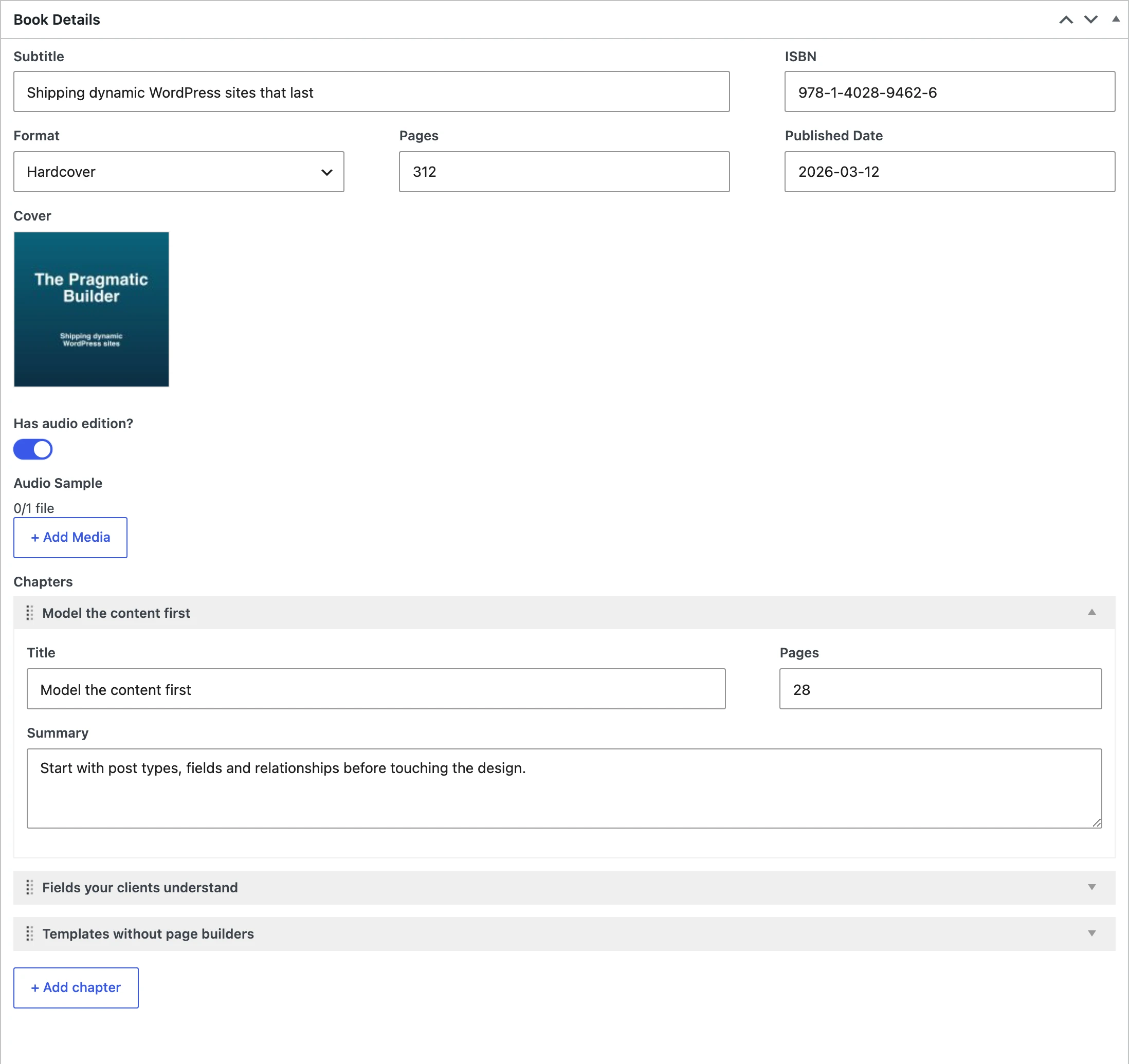
1. The group field supports unlimited nesting. Any field or group can be repeated with the clone setting, so you don't need a separate repeater field.
1. The repeater field holds nested fields. Repeater data is saved as one JSON string by default (there's an option to save sub-fields as separate meta).
2. Group + Conditional Logic works as flexible content.
2. JetEngine has no flexible content field.
Data Storing
How a plugin stores data decides how fast your site is when the amount of data grows.
Each field is one row in the meta table, using the standard WordPress get_post_meta() / update_post_meta(). With MB Custom Table, you can store fields of posts, terms, and users in your own table, while the items stay normal WordPress objects.
Fields are saved in the meta table by default. Custom Meta Storage moves a post type's JetEngine fields to a separate table, but existing data is not migrated automatically, and repeaters can't be saved as separate fields.
Settings Page
Both plugins let you create settings pages (options pages).
1. Settings pages with native WordPress styles, tabs, and meta box layouts.
2. Integrate with the Customizer (live preview).
3. Settings pages for Multisite networks.
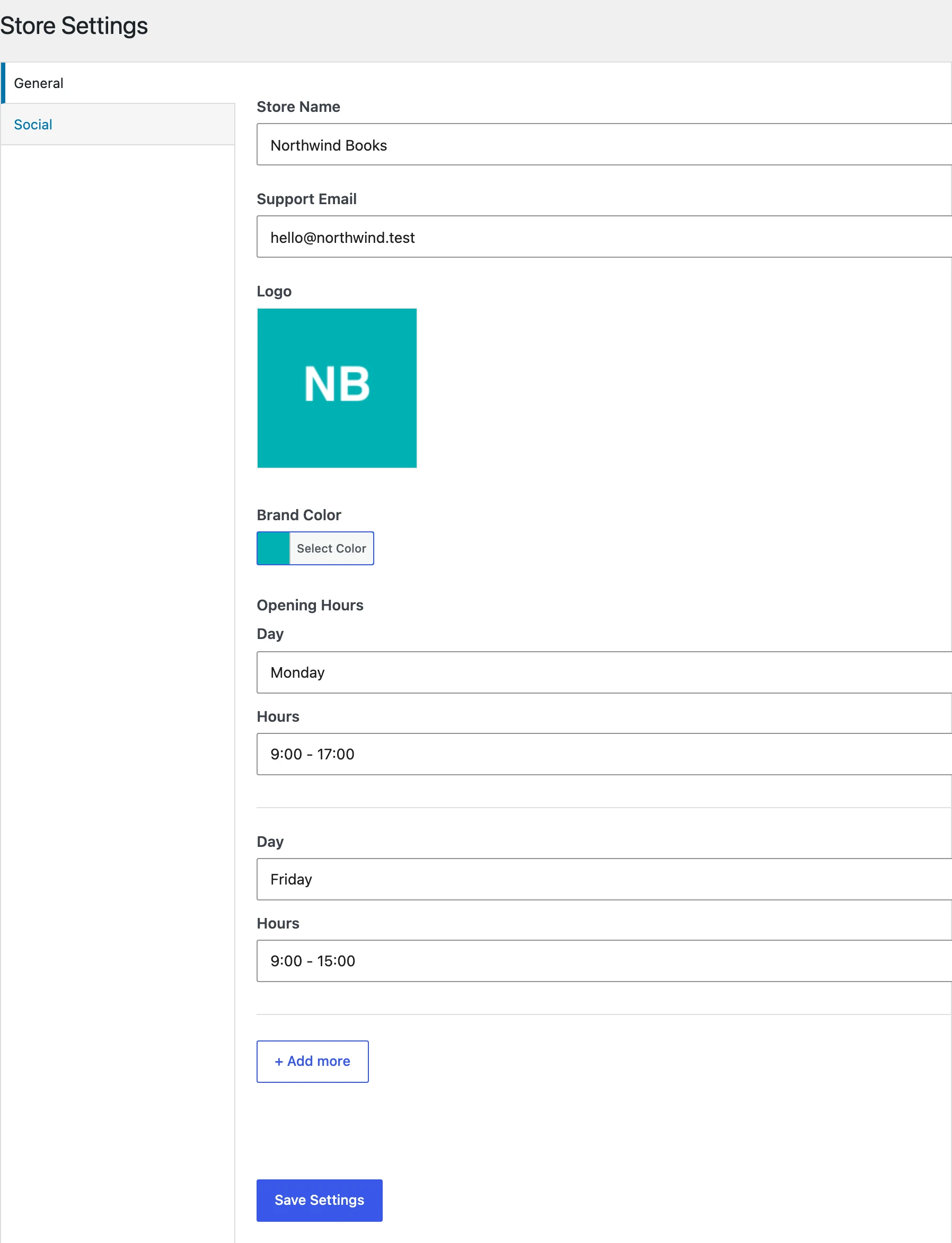
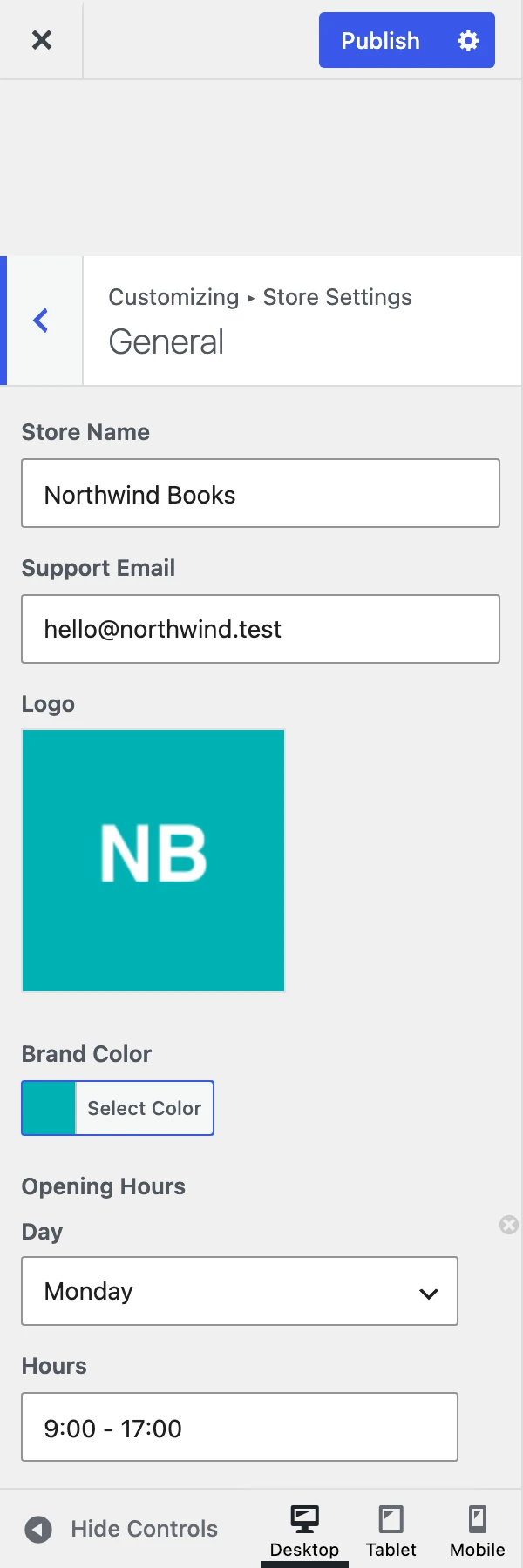
1. Options pages with JetEngine meta fields. The docs don't mention Customizer or network settings pages.
Front-end Forms & User Profiles
Built in: front-end submission forms with Ajax, reCaptcha v3 / Turnstile, a user dashboard to edit submissions, and login, register, and edit profile forms. All forms can be added with blocks or shortcodes.
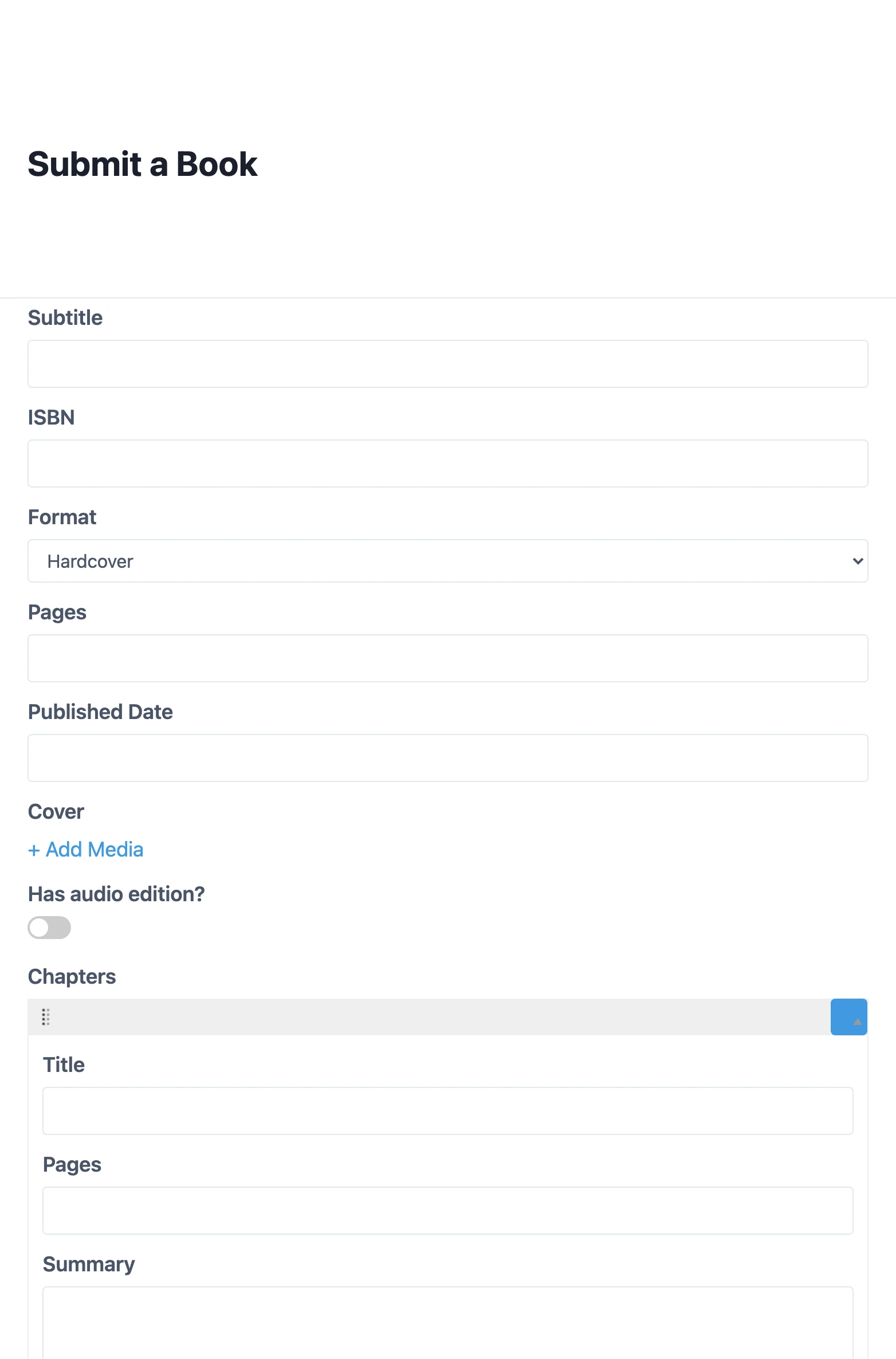
Forms are in JetFormBuilder, a separate plugin. JetEngine's Profile Builder module creates account pages and lets users submit posts from the front end.
Conditional Logic
Show or hide fields and whole field groups based on other fields, categories, or page templates. Many operators (IN, CONTAINS, BETWEEN, MATCH…), combined with AND / OR.
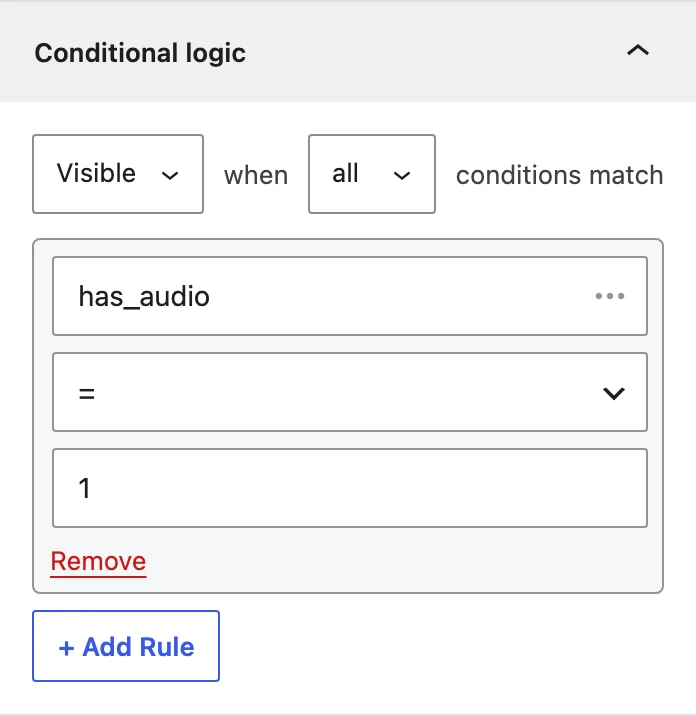
Conditional logic for fields, plus Dynamic Visibility on the front end based on meta values and user data.
Relationships
Relationships between posts, terms, and users: one-to-one, one-to-many, many-to-many, bidirectional, and reciprocal. Stored in a custom table for fast queries, with a UI in MB Builder.
Relations between posts, CCT items, terms, and users: one-to-one, one-to-many, many-to-many. Relations can have their own meta fields.
Querying & Displaying Data
MB Views for templates with Twig, block bindings in Gutenberg, dynamic data in all major page builders, and PHP helper functions for developers.
Query Builder (posts, CCT, terms, users, comments, WooCommerce, SQL, REST API), Listing Grid / Map / Calendar / Carousel, Tables & Charts Builder, dynamic functions (sum, average, min / max), and macros.
Page Builder Support
Meta Box works with Bricks, Elementor, Oxygen, Breakdance, Beaver Builder, Divi, and Gutenberg. JetEngine supports Elementor, Gutenberg, Bricks, and Divi.
Developer Workflow & AI
Register everything with code (PHP or JSON). Local JSON with JSON Schema for autocomplete and version control. Composer support for bundling in themes and plugins. An MCP / Abilities API, a Meta Box agent skill for Claude Code and Cursor, and Coding with AI docs, so AI writes correct Meta Box code.
Mainly UI-based. AI features: an MCP server for WordPress, an AI Website Structure Builder, and an AI Query Generator (uses the OpenAI API).
Other Features
Along with the major features above, both plugins have many others.
REST API for fields, revisions for custom fields, admin columns, geolocation autocomplete, and migration tools from ACF, Pods, and Toolset.
REST API endpoints for CCT, Data Stores (wishlists, favorites), Glossaries, and integrations with ACF, Pods, and CPT UI.
Pricing
Both plugins are sold by yearly subscription. Meta Box also has lifetime plans.
Meta Box core is free. Premium plans include all extensions:
- Personal plans:
- $49/year: 12 essential extensions for 1 site;
- $99/year: all extensions for 3 sites;
- $299/lifetime: all extensions for 3 sites.
- Agency plans:
- $149/year: 12 essential extensions for unlimited sites;
- $229/year: all extensions for unlimited sites;
- $699/lifetime: all extensions for unlimited sites.
JetEngine has no free version:
- JetEngine alone: $75/year for 1 site;
- All-Inclusive (23 JetPlugins): $199/year for 1 site;
- Lifetime (all JetPlugins, unlimited sites): $999.
Docs & Support
Meta Box has detailed documentation, hundreds of tutorials on the blog, a support forum, and an official Facebook group. Crocoblock has a large knowledge base, video tutorials, and a Facebook community.
Conclusion
Choose JetEngine if you build everything visually with Elementor (or other Crocoblock tools), and you want ready-made listings, calendars, and charts without code.
Choose Meta Box if you:
- Want a data framework that works with any builder, Gutenberg, or code, and doesn't lock your site into one ecosystem.
- Need more field types, flexible nested data, and custom tables that stay compatible with WordPress.
- Keep configuration in code or Git, or build sites with AI coding tools.
- Manage many client sites and want unlimited sites at a lower price, or a lifetime plan.
Quick Comparison Table
| Items | Meta Box | JetEngine | |
|---|---|---|---|
| Getting Started | |||
| User Interface | |||
| Creating Post Types & Taxonomies | |||
| Supported Objects | |||
| Field Types | |||
| Layout Fields | |||
| Data Storing | |||
| Settings Page | |||
| Front-End Forms & User Profiles | |||
| Conditional Logic | |||
| Relationships | |||
| Querying & Displaying Data | |||
| Page Builder Support | |||
| Developer Workflow & AI | |||
| Pricing | |||
| Docs & Support | |||
If you want to read other comparisons, see Meta Box vs. ACF and Meta Box vs. Toolset.
This page is built with MB Views. The data is entered with MB Group & MB Conditional Logic.