
We've been building custom post type (CPT) tooling for more than ten years. The same ten years that WordPress spent delegating this to plugins. We've seen what developers need, what breaks in production, and what agencies ask for. So when Gutenberg merged a PR that brings CPT creation into core, we have opinions grounded in experience - not speculation.
We should be transparent upfront: Meta Box has built our entire feature set around this exact problem. This change affects our business. But this piece isn't written from that angle. We're trying to look at it the way a senior WordPress developer would - someone who cares more about the platform's long-term health than about who wins market share in the CPT plugin space. We'll try to be fair. We think the community deserves that.
How to try this feature
To try creating custom post types in Gutenberg, go to this URL and enter the PR number in the input box: 77754.
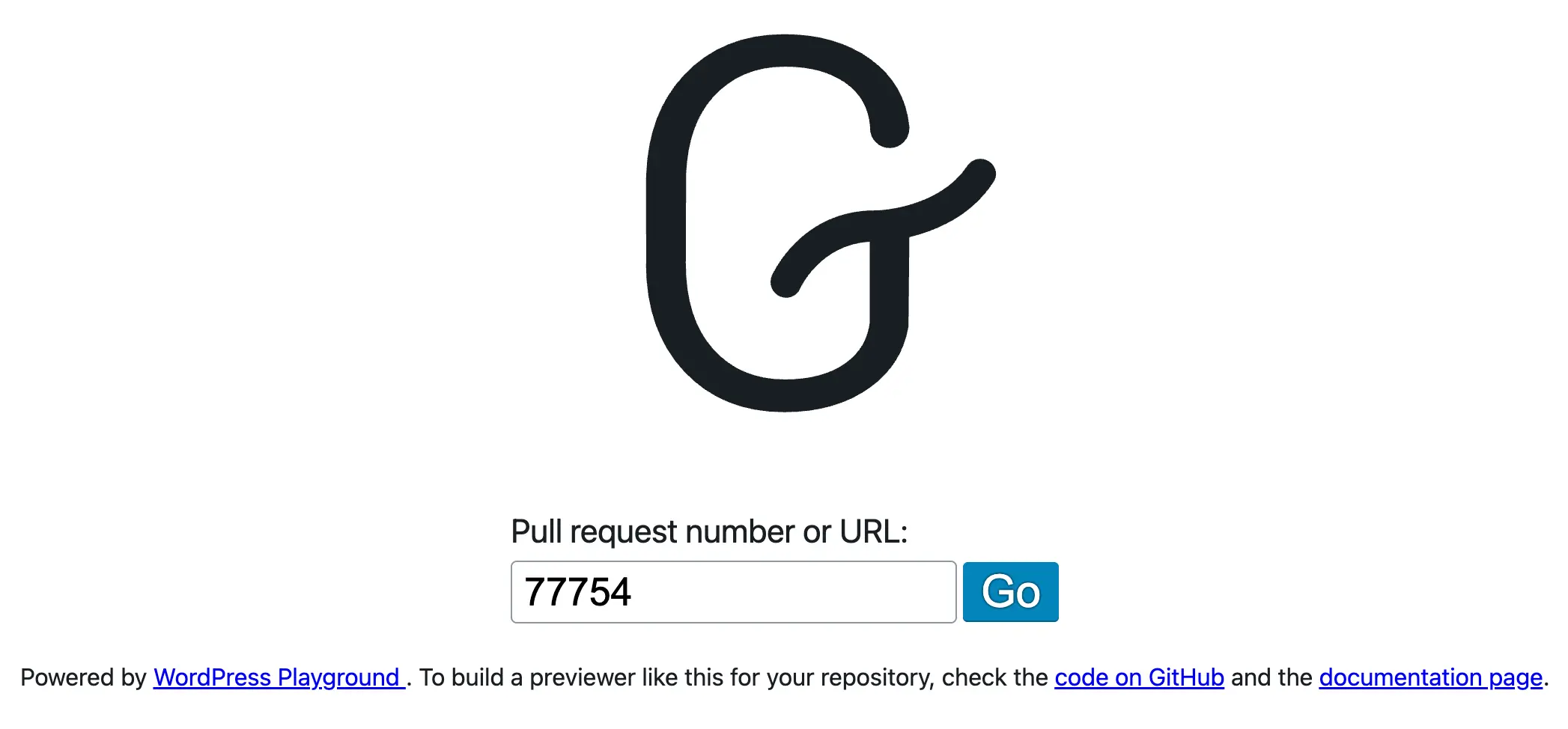
This will launch a fresh WordPress site with Playground and with the pull request merged from Gutenberg. After that:
- Go to Gutenberg > Experiments and enable the Content types experiment
- Go to Settings > Post types to create a post type
Why this matters - and why it took this long
WordPress was built for blogging. That's not a criticism - it's origin. But today, more than 43% of the web runs on WordPress, and the vast majority of those sites aren't blogs. They're real estate directories, event platforms, job boards, e-commerce stores, and complex editorial systems. All of them rely on custom post types to model their content. And until now, WordPress core didn't provide a single tool to create them.
That's a gap that developers have been papering over for fifteen years with plugins, boilerplate functions, and third-party dependencies. Every agency project started with the same ritual: install ACF, install Meta Box, install CPT UI, or write your own register_post_type() call. None of that is bad - the ecosystem served its purpose - but it meant that a fundamental feature of the platform was never owned by the platform itself.
This matters more now because WordPress is no longer competing only with itself. The landscape has shifted:
- Drupal has had native content type management built into its admin for over a decade. When a Drupal developer needs a new content type, they go to Structure → Content Types, define their fields, and they're done. The workflow is first-class, documented, and supported by core.
- Statamic goes even further - its Collections system lets developers define content schemas as YAML files in their codebase, version-control them like any other code, and move them between environments without any database migration.
- Astro, the fast-growing static site framework now attracting developers who used to default to WordPress, ships a Content Collections API with Zod schema validation, type safety, and build-time enforcement. These platforms treat custom content types not as an add-on, but as a foundation.
WordPress, by contrast, has been asking developers to reach for a plugin for something that every serious competitor includes out of the box. That's not a small thing. When a developer evaluates platforms - for a new project, for a client, for their own team - that gap is visible. It makes WordPress look incomplete. Not because it can't do the job (the ecosystem ensures it can), but because the platform itself doesn't own the workflow.
Gutenberg merging CPT creation into core is WordPress saying, finally: this belongs to us. It's a signal to developers that the platform is serious about structured content, not just blog posts and pages. That signal matters, even if the execution isn't perfect yet.
CPT is also the feature that unlocks everything else. Templates, block bindings, query loops, custom fields, REST API endpoints - they all work on top of content types. If the foundation is fragmented across third-party plugins, the rest of the stack is fragile. Owning CPT in core is owning the foundation. That's why this move is not just cosmetic. It's structural.
Who this feature is actually for - and who it isn't
Here's something important to say clearly, because it gets lost in the excitement: this feature is not for all WordPress users. It is for developers. Full stop.
Creating a custom post type is an architectural decision. You're defining how your site models its content. You're choosing slugs that will live in URLs forever, deciding what appears in the REST API, configuring taxonomy relationships, and making choices that are very painful to undo six months later when the client decides they want something different. This is not a task for a content editor or a site owner. This is developer work. The fact that it now happens through a UI instead of through PHP code doesn't change what it actually is.
To be honest about who uses this: ACF has 2M+ installs. Meta Box has 500k+. Those numbers sound large, but they represent sites using the plugin - not individual users making CPT decisions. A single agency or developer might manage 20 to 50 sites. The realistic pool of humans actively making custom post type decisions is far smaller - likely around 100,000 developers globally when you aggregate the active user bases of ACF, Meta Box, CMB2, and Pods. Compare that to SEO plugins with 10+ million installs, or cache plugins with 5+ million, and you see the real scale. CPT tooling serves a developer niche, not a mass market.
This is different from tools like Yoast SEO or WP Rocket - those are used by site owners who don't write code. CPT tooling is used by builders who are defining the content architecture for someone else's site. The target user here is not the person running the site. It's the person who built it.
That distinction matters when evaluating what "success" looks like for this feature. The question isn't whether non-technical users can now create post types without plugins. They could always install a plugin to do that - and those plugins were better than what core is shipping now. The question is whether this serves the developer workflow well enough to replace those plugins, or at least meaningfully reduce reliance on them. And for that audience, the bar is higher. Developers care about completeness, extensibility, and version-control compatibility. They care about the full CPT spec, not just the happy path.
Which brings us to the question WordPress has never answered out loud: why CPT, and not SEO, security, or caching? Those three features are used by virtually every WordPress site on the internet. A broken cache layer slows every visitor down. A security gap exposes every user's data. Poor SEO structure hurts every page's ranking. And yet WordPress has consistently left those problems to the plugin ecosystem - Yoast, Wordfence, WP Rocket — arguing, reasonably, that specialized tools do specialized work better than a bloated core ever could. That argument held for twenty years. But if that logic applies to features that affect 60 million sites and every person who visits them, it should apply even more strongly to CPT - a feature used by a fraction of those sites, and only ever touched by developers. The decision to merge CPT into core while keeping SEO, security, and caching in plugin territory isn't just inconsistent. It quietly inverts the principle WordPress built its ecosystem on. The features that matter most to end users stay outside. The feature that only developers configure moves in. Nobody has explained why.
If we're going to force CPT into core, let's do it right
The current implementation is too basic. We say that not to be harsh, but because we've seen what developers actually need - and the gap between what's shipped and what the ecosystem already provides is significant.
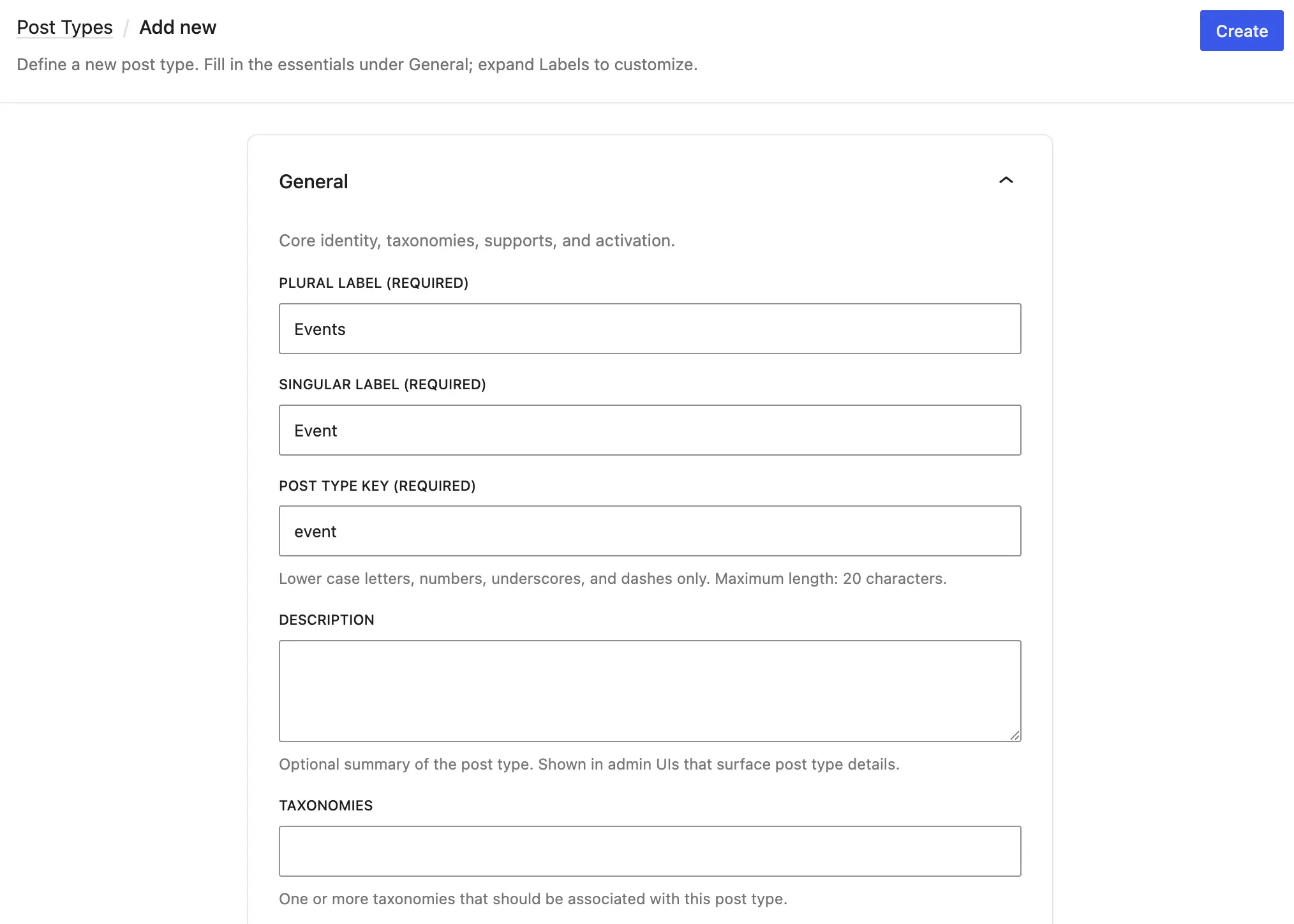
The UI is built in React, which is the same as we did in Meta Box. The architecture is reasonable. But when you compare it against what Meta Box has been offering for years, or what ACF provides, the core implementation is missing critical ground. The most obvious gaps: there's no support for icon or menu_position - parameters that developers set on almost every post type they register. Those aren't edge cases. They're in the first ten lines of most real-world register_post_type() calls.
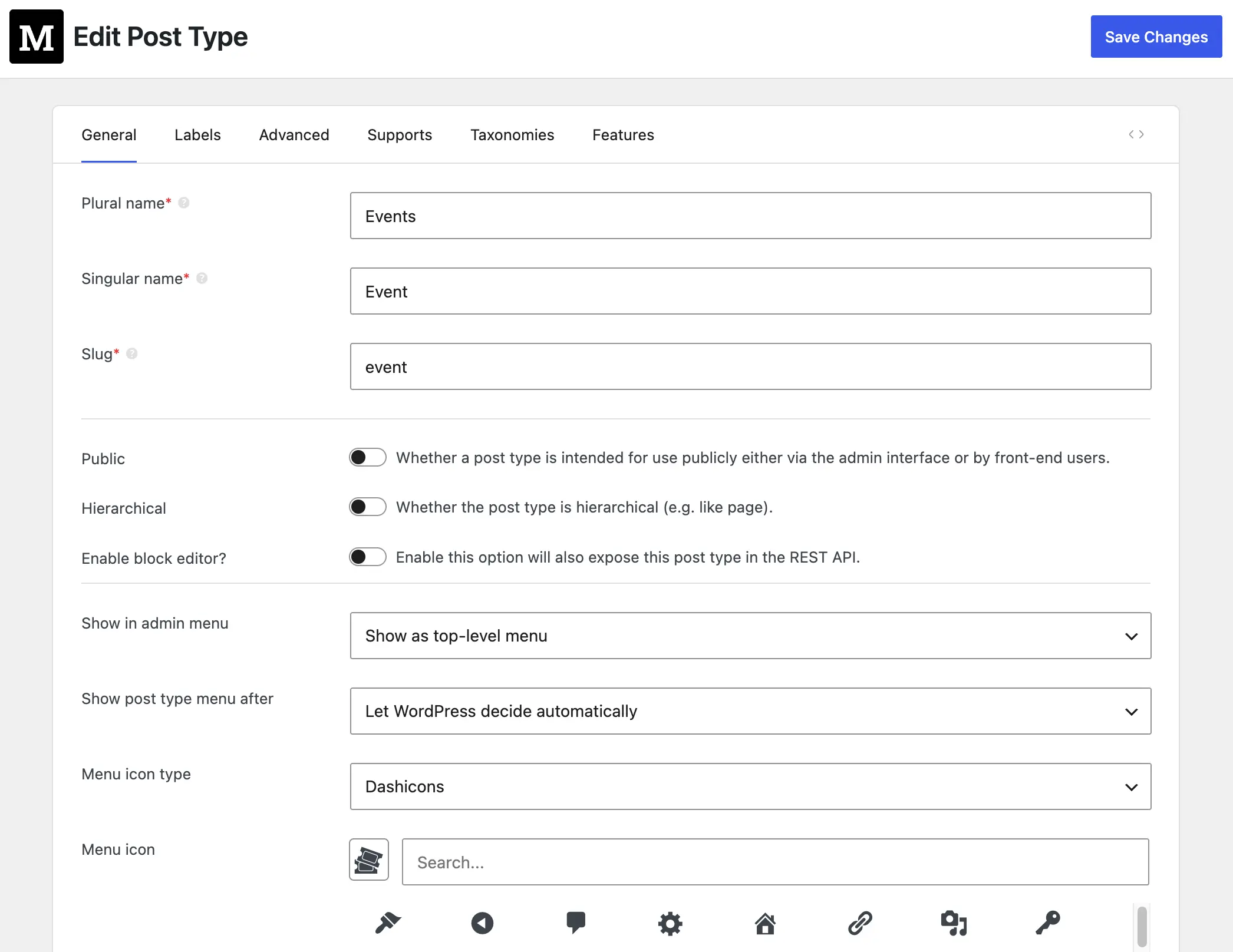
The deeper problem is extensibility. Right now, there's no hook system that allows third-party plugins to extend the CPT creation UI. That means Meta Box, ACF, Pods, and every other tool in the ecosystem has no clean path to add their own fields, their own validation logic, or their own capabilities on top of what core provides. The result is that developers are forced to choose: use the limited core UI, or use a plugin that bypasses core entirely. That's not convergence - that's fragmentation with extra steps.
This is why the tracking issue's acknowledgment that "complex use cases will remain in plugin territory" is both honest and concerning. If complex use cases stay in plugins, and simple use cases are now in core, you've created two classes of developers: those who use core for basic CPTs, and those who use plugins for real work. The 80% overlap between what core provides and what a plugin provides doesn't get resolved - it gets institutionalized.
And we've seen this problem before with page builders. There's still no clean answer to the fragmentation between Elementor, Bricks, and the block editor. If core ships a half-built CPT tool without a proper extension API, the same fragmentation will happen here.
The right path forward is to ship this with a proper hook-based API that lets the ecosystem participate. Let Meta Box add CPT reordering, quick toggle the status column; let ACF sync to JSON; let Pods add its relationship layer. Core sets the foundation, plugins extend it - that's how WordPress has always worked at its best. If that model breaks here, the feature will create more problems than it solves.
The merge is the right direction. The timing is overdue. The execution needs work. We hope the community holds this to the standard it deserves - not as a plugin feature that snuck into core, but as infrastructure that the platform is finally choosing to own. That ownership comes with responsibility.

 Connect Meta Box Fields to Gutenberg Blocks with Block Bindings
  How to Move All Custom Post Types and Custom Taxonomies from CPT UI to Meta Box
  How to Migrate Custom Fields Data from ACF to Meta Box Plugin
Great article and I 100% agree -- it seems the new CPT is more about "image" then about functionality. I have been a user of MetaBox AIO for years and will continue to be going forward!
Absolutely agree.
I've been using MB AIO for years, on all my sites, and love it... so, hopefully you'll be still here for years to come.
Where I think MB has still room for improvements and for further evolution, despite future WP changes, is in these areas:
— Bringing CCT (custom models) UI editing into it, just like for the usual CPT's. With, of course, full integration with MB Relationships & MB Views (MB Blocks also?), and, like JetEngine did, option to connect CCT to CPT to bring-in all the wp advantages of the latter. Also, another useful feature would be the possibility to use CCT data as collections to feed other custom fields with options to pick from — e.g. dropdown field with countries, or country regions etc.
— MB Views (and MB Blocks) can actually replace a page/site builder. Where it comes a bit short, is the disconnected workflow. Unless one writes its own CSS/JS directly, it has to switch to another page or browser tab, to do the styling via whatever tool it uses.
What I believe it would be great, is to find a way to integrate into one unified view (editing UI) with tools like Core Framework and Microthemer pro, or create one (as additional add-on) for MB AIO.
Such a combination would transform Meta Box AIO into a views and/or blocks based, lightweight, performant and very powerful site builder.
All you then need with it, is a basic free block or classic theme, and you're good to go.
Cheers